Tablet Floor Stand Buying Guide: What to Check Before You Buy
A practical tablet floor stand buying guide: stability, height, rotation, grip and where it fits at home, so you pick the right one.
 By Ahamed Khan
In this guide15
- 01Why a floor stand and not a desk stand
- 02Stability is the first thing to judge
- 03Material and build
- 04Adjustable height: matching the stand to your seat
- 05360-degree rotation and orientation
- 06Will it fit your device?
- 07Where it works best
- 08Cable and charging considerations
- 09Common mistakes to avoid
- 10Care and storage
- 11Who it suits
- 12Delivery for this item
- 13The bottom line
- 14Submit Your Story
- 15How This Article Was Created
Holding a tablet for an hour is a surprisingly tiring job. Your arms ache, the screen drifts, and propping it on a pillow never quite works. A tablet floor stand solves that by lifting the screen to eye level and holding it there while your hands stay free.
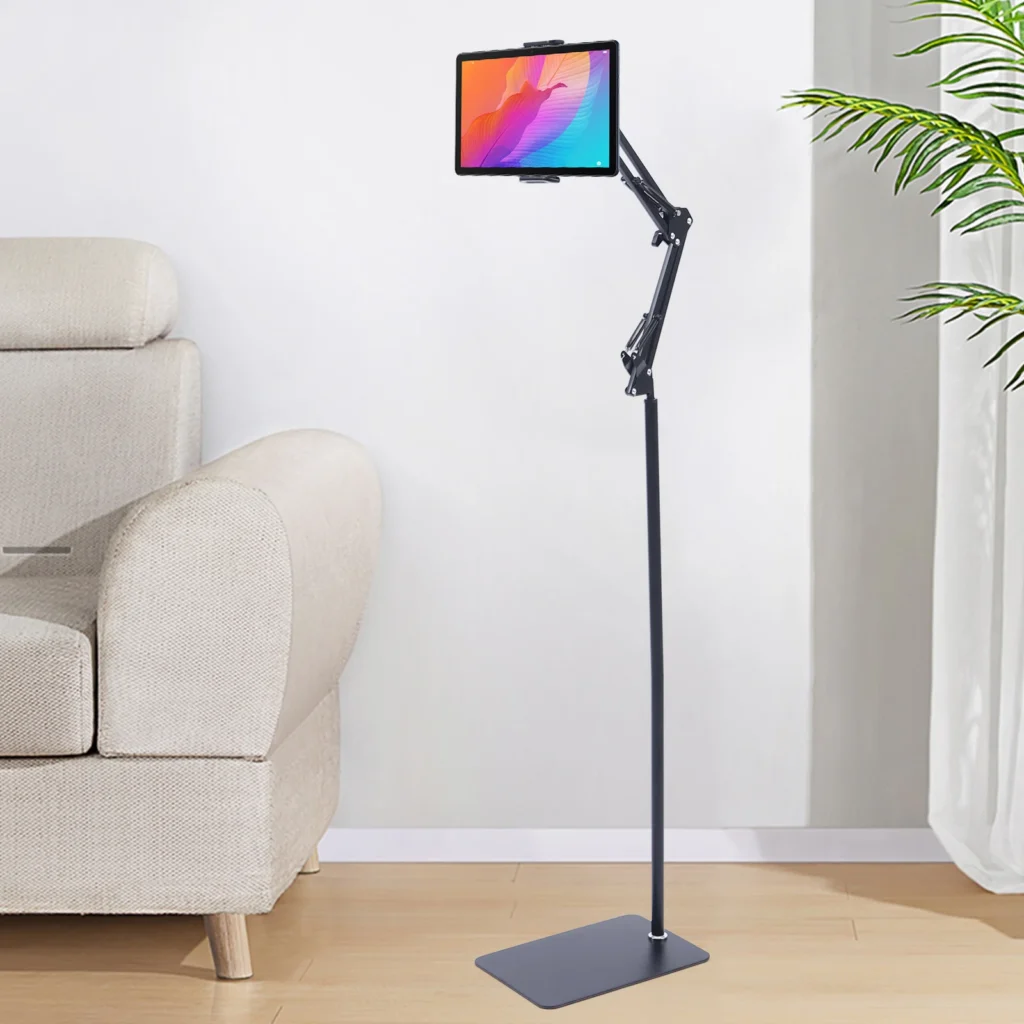
This guide covers what to check before you buy one. We use the Adjustable Floor Stand for Tablet and Phone with 360 Rotation as a worked example, because its listing gives clear details on build, height and rotation.
Why a floor stand and not a desk stand
A desk stand needs a desk. A floor stand sits on the ground beside a bed, a sofa, an armchair or a kitchen counter, and brings the screen to you. That makes it a good fit for watching shows, reading recipes, following an exercise video or making video calls without a table in the way.
The trade-off is floor space. A floor stand needs room around it, so measure the spot where it will live before you order.
Stability is the first thing to judge
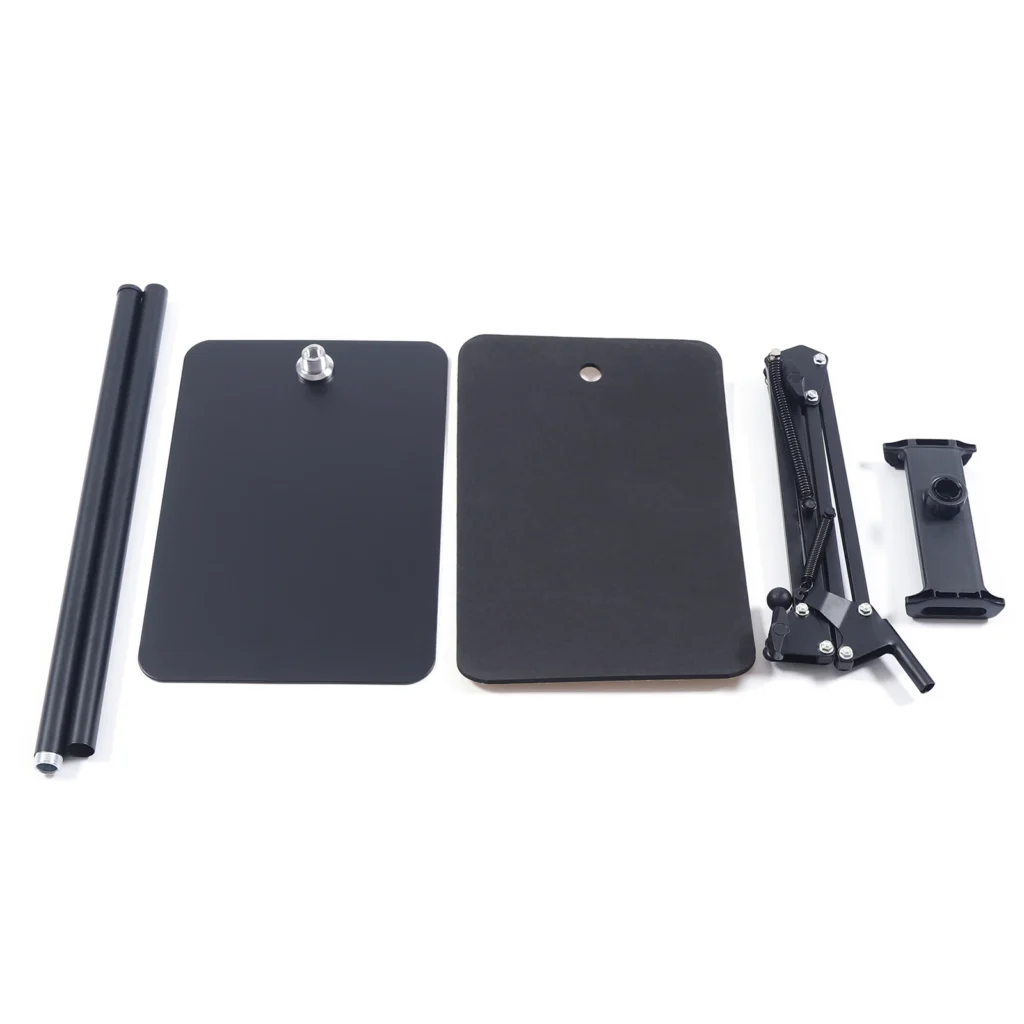
A tall, narrow pole with a small base can wobble, and a wobbling stand holding an expensive tablet is a bad combination. This model is described as having a stable floor base and a carbon steel build, and it weighs about 2 kg. Weight in the base is a good sign, because a heavier stand resists tipping more than a featherweight one.
- Look for a wide, flat base that spreads the load.
- Check that the joints lock firmly and do not creep over time.
- Keep the stand off thick rugs where the base can rock.
Once set up, give it a gentle nudge before you trust it with your device. It should settle, not sway.
Material and build
The listing names carbon steel for the stand. Steel is generally a sturdy choice for a floor holder because it carries the weight of a device without bending easily. Check the finish, since a coated surface tends to wear better and looks tidier in a living room.
Whatever the material, remember that the stand is only as good as its weakest point. The clamp, the joint and the base all matter.
Adjustable height: matching the stand to your seat
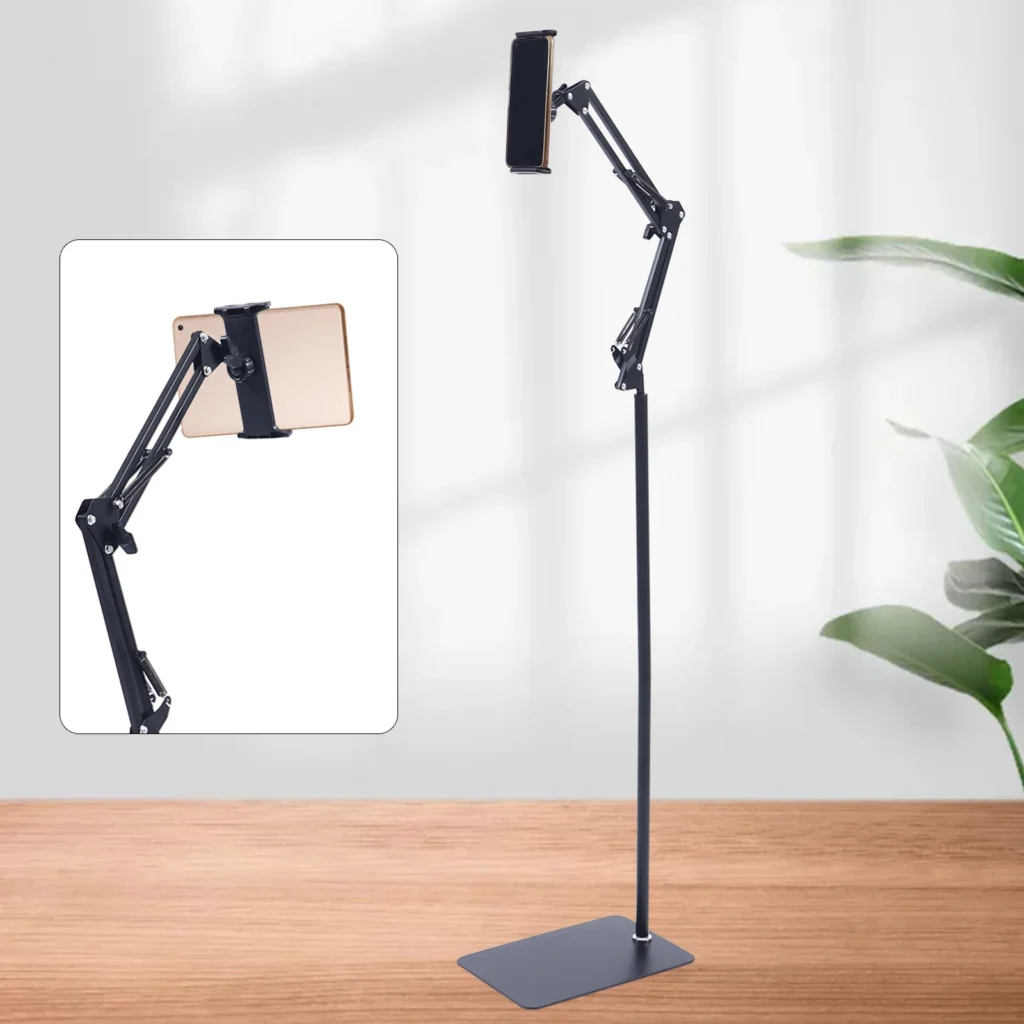
Adjustable height is the feature that makes one stand work in several places. Raise it when you are sitting upright on a sofa, lower it when you are lying down, and adjust it again for standing in the kitchen.
When you set the height, aim for a screen at roughly eye level, so your neck stays relaxed. If you look down at a screen for long stretches, your neck will tell you. A stand that goes up and down easily is more likely to be set properly every time.
360-degree rotation and orientation
This stand has a 360-degree rotating mount that turns to portrait or landscape. Landscape suits films and video calls, and portrait suits reading, social feeds and recipe pages. A mount that turns smoothly lets you switch without taking the device out.
Check that the rotation holds its position. A good mount turns when you want it to and stays put when you let go.
Will it fit your device?
The listing says the stand holds phones and tablets. Before you buy, check the width of your device, with its case on. Thick protective cases are the most common reason a holder feels too tight. Look at the product page for the clamp range, and compare it with your device measurements.
If you use both a phone and a tablet, a flexible clamp saves you from buying two holders. Make sure the grip is firm enough for the heavier device and gentle enough not to press on side buttons.
Where it works best
A floor stand earns its keep in a few places:
- Beside a bed for reading or watching before sleep.
- Next to a sofa for films and shows.
- In a kitchen for recipe videos, with space to keep the base away from splashes.
- In a home gym or yoga corner for following a class.
- Near a desk as a second screen for messages or video calls.
It can also help anyone who finds holding a device uncomfortable for long periods, since the stand takes the weight off your hands.
Cable and charging considerations
Many people run a charging cable to the device while it sits on the stand. Plan the route in advance. A cable pulled tight can tilt the stand or tug the device free, so leave a little slack and keep it clear of walking paths. Also check that the clamp does not block your charging port or speakers.
Common mistakes to avoid
- Ignoring the width of a thick case when you check that the device fits.
- Setting the height too low and craning your neck.
- Placing the base on a soft rug or uneven floor.
- Running a short cable that pulls the stand off balance.
- Leaving the stand where children or pets can knock it over.
Care and storage
Wipe the stand with a soft, slightly damp cloth, and dry it afterwards. Check the joints from time to time and tighten anything that has loosened. If you move house or reorganise the room, take the device off before shifting the stand, because carrying a loaded stand is a good way to drop it.
Who it suits
A floor stand suits students, remote workers who take video calls from different rooms, home cooks, people who watch a lot of video, and anyone who prefers hands-free reading. If you mostly use a device at a desk, a smaller desktop stand may be enough. For a bigger second screen, our portable monitors buying guide is worth a read, and you can browse more in Desk Tech.
Delivery for this item
This item ships from a US warehouse to US addresses only, with tracking, and the live delivery options and exact cost appear at checkout before you pay. You can see everything that ships this way in our US store. The full details are on the product page.
The bottom line
Choose a floor stand for stability first, then height, rotation and fit. The Adjustable Floor Stand for Tablet and Phone lists a carbon steel build, a stable base, adjustable height and a 360-degree rotating mount, which covers the main points. Measure your space and your device, and you should end up with a comfortable hands-free setup.

Adjustable Floor Stand for Tablet and Phone, 360 Rotation
A tablet floor stand with a 360-degree rotating mount and adjustable height, so you can watch, read or video call hands-free.
$42.99
View productSubmit Your Story
Where in your home do you most wish your tablet could float at eye level? Share it through our contact page and we may feature it in a future article.
How This Article Was Created
This article was written from the product details on our listing and widely known buying considerations for this type of product. We do not quote unsourced statistics, and we only describe features shown on the product page. Please check the page for current options and prices. This item ships from a US warehouse to US addresses only.